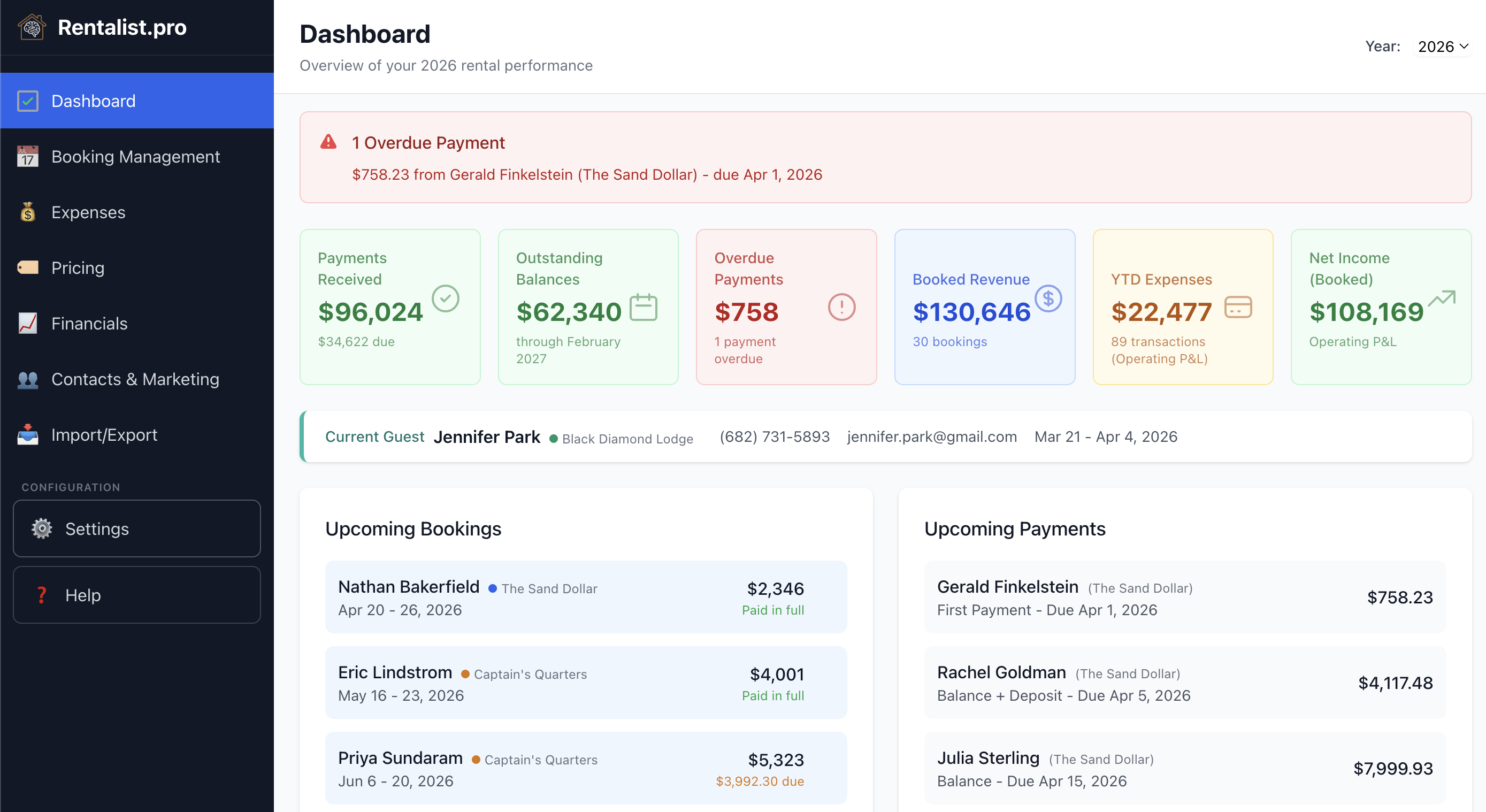
Dashboard
Your rental's complete financial picture. One screen.
Open Rentalist on any day of the year and the Dashboard answers the question you actually have: how is my rental doing right now? Booked revenue, payments received, outstanding balances, YTD expenses, and net income — pulled automatically from your bookings and expenses, no configuration required.
Overdue payments surface in red with the guest name, amount, and how many days past due. Occupancy tax deadlines appear as colored banners — red for overdue, amber for due soon, blue for upcoming. Problems don't hide until it's too late to address them.
- Operating P&L vs. Cash Flow
- Toggle between two views of your expenses. Operating P&L excludes capital improvements and mortgage principal — it shows the business. Cash Flow includes everything except mortgage principal — it shows what actually moved.
- Upcoming bookings
- Next arrivals with guest contact info and payment status visible at a glance.
- Alerts worth having
- Open weeks that are running later than that week normally books, a season that isn't priced out yet, and a tax difference still waiting on your decision. Each one is dismissible or can be switched off for good — none of them nag.
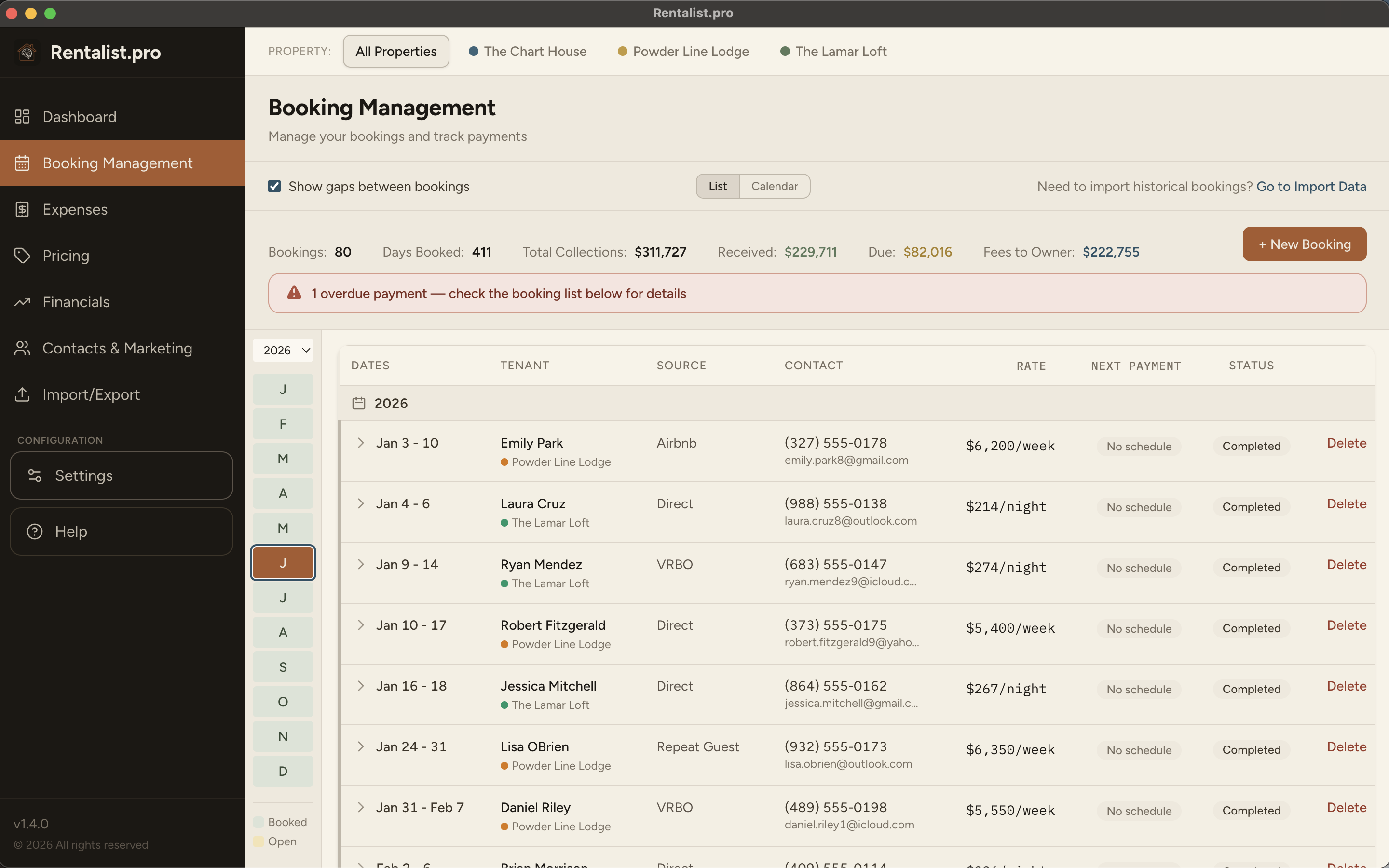
Booking Management
Every booking's full financial detail, in one place
Every reservation is tracked from signing through post-stay. Guest information, dates, rate, fees, occupancy tax, security deposit, payment schedule — all in a single record. The payment tracking alone replaces the most error-prone part of spreadsheet management: manually calculating who has paid and who hasn't.
Payments pre-populate from the schedule you configure in Settings. The system handles split payments, last-minute booking rules, security deposit returns, and cancellations with full financial impact tracking — retained amounts, tax implications, refunded amounts.
- OTA booking support
- Simplified form for Airbnb and VRBO bookings showing estimated payout. Platforms that remit occupancy tax are automatically excluded from STR Tax tracking.
- Gap week display
- Unbooked weeks between reservations appear automatically with available pricing. Click any gap to create a booking for that date range.
- Returning guest feature
- One-click to carry a guest forward to next year. Holiday anchor logic maps their dates to the correct week, even when holidays fall on different days.
- Tax rate changes, handled
- Raise your occupancy tax rate and the extra owed on every affected upcoming stay is worked out and recorded for you. All that's left is whether you collect it from the guest or absorb it.
- Up to three properties
- Each property gets its own bookings, expenses, pricing, and analytics. An "All Properties" view shows your combined portfolio. Add properties in Settings — start one from a copy of another's settings to save the setup, then run them completely independently.
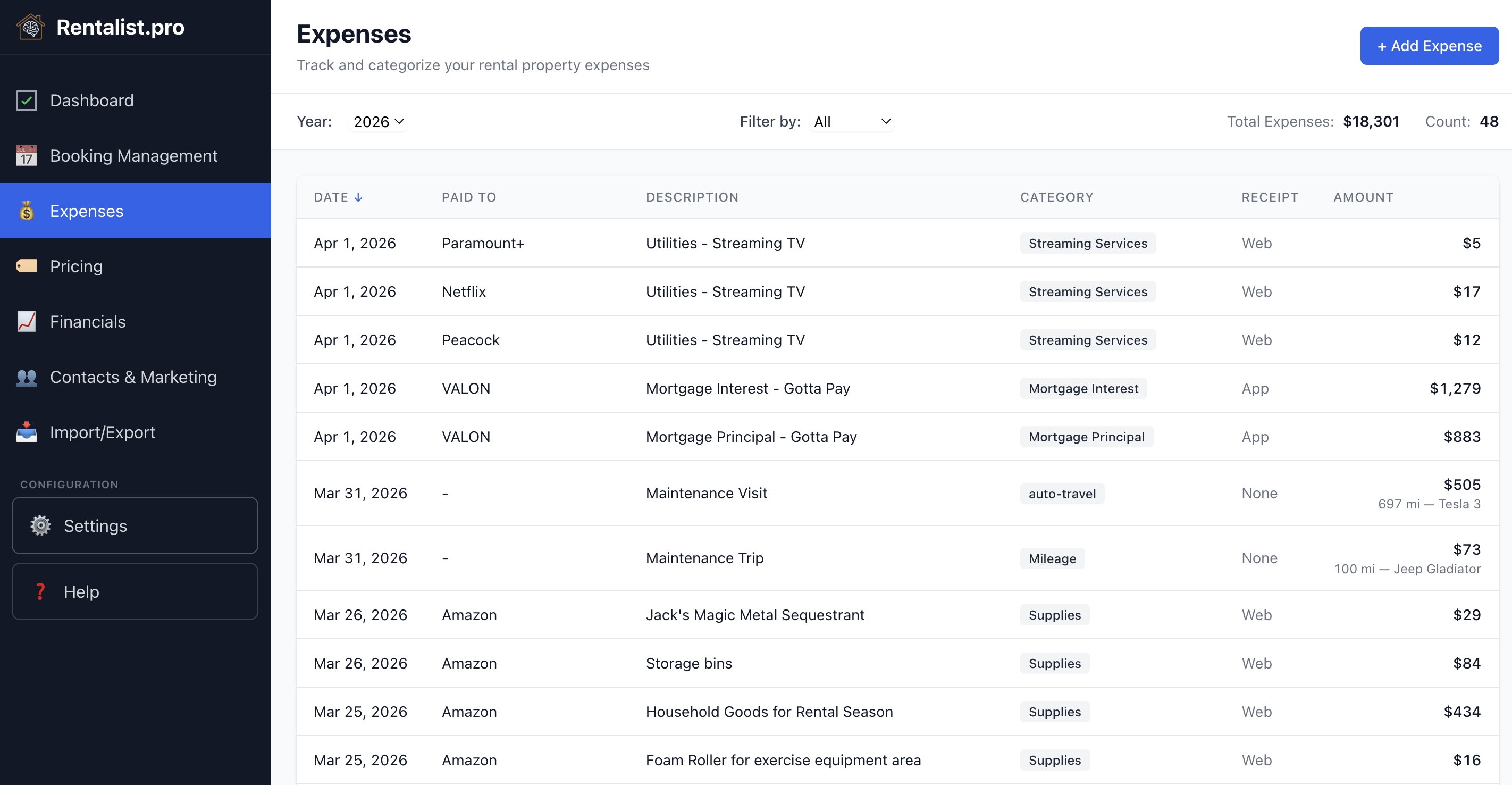
Expenses & Tax Preparation
Every expense already in the right category at tax time
Twenty-two built-in expense categories, each pre-mapped to the corresponding IRS rental property deduction category. Enter a cleaning expense under Cleaning, and it flows automatically to Schedule E. No sorting at year end. No guessing which category applies to a propane delivery.
The Tax Summary export — a single PDF with every expense, correctly categorized and totaled by deduction type — is what you hand your accountant. Custom categories can be added and assigned to any IRS category or marked non-deductible.
- STR Tax Payments
- Tracks occupancy tax collection and remittance deadlines by period. Configurable frequency (monthly, quarterly, annually), calculation basis, and due day. Dashboard banners remind you before deadlines pass.
- Year locking
- Prior years lock automatically so a stray click can't rewrite a year you've already filed. Unlock a single year in place when you need to fix something — it re-locks by itself the moment you leave the screen.
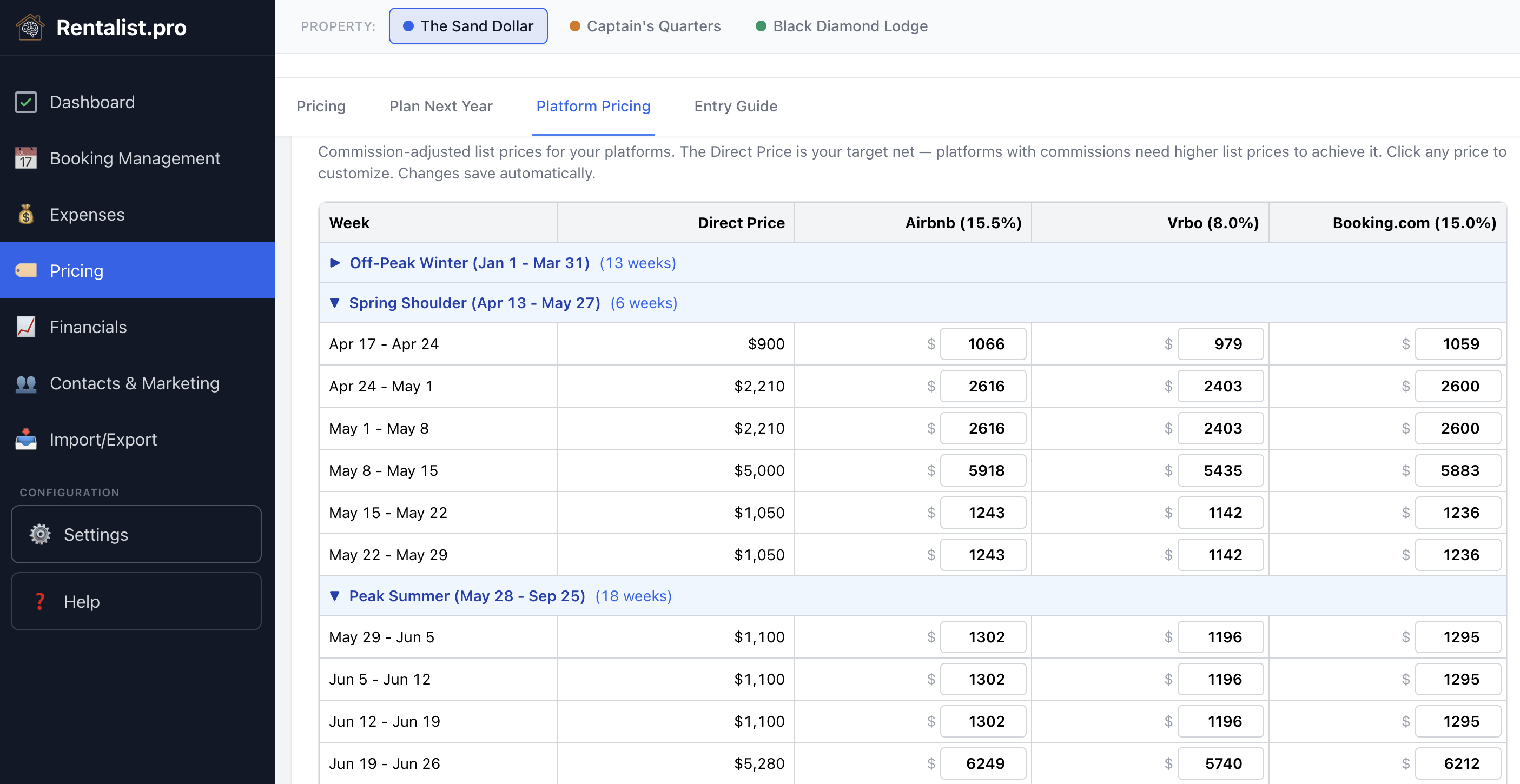
Pricing Planner
What to list on each platform so you net what you're targeting
If you list at $4,800 on Airbnb, you net $4,056 after their 15.5% commission. The Platform Pricing Calculator reverses this math automatically — enter your target net rate and it calculates the list price for each platform, rounded up to the next whole dollar, for every week of your season.
The Pricing Planner also handles year-over-year duplication with holiday anchor logic. Memorial Day doesn't fall on the same week every year. The anchor system maps your peak-week pricing to the right weeks in the new year, flags conflicts, and lets you resolve them before committing.
- Excel export — 5 tabs
- Airbnb horizontal scroll (365-column daily calendar), Airbnb granular instructions, Airbnb simple instructions, VRBO monthly calendar, VRBO simple instructions. Exact numbers to enter on each platform.
- Platform support
- WNAV (WeNeedAVacation), Airbnb Host-Only (15.5%), Airbnb Split-Fee (3%), VRBO Pay-Per-Booking (8%), VRBO Subscription (3%), and custom platforms with configurable commission rates.
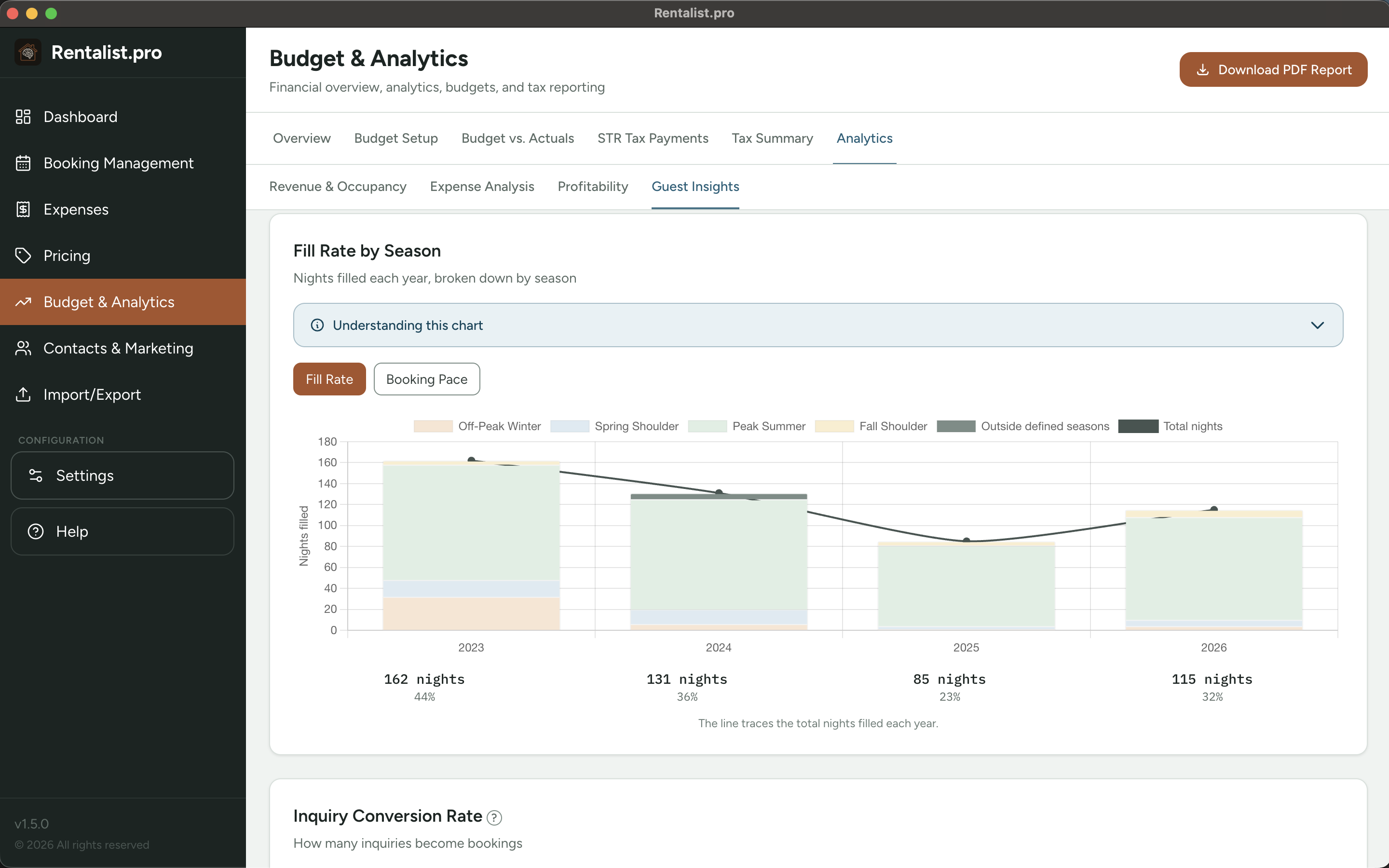
Financial Analytics
Years of performance on one chart
Multi-year revenue trends, expense trends, occupancy rates, booking source breakdowns, and profitability analysis — all in a single section, with plain-English explanations of what each chart means and what to look for.
Import your historical spreadsheet data during setup and the analytics reach back as far as your records do — every year you have bookings, expenses, or inquiries for, not a fixed recent window. Every chart has an "Understanding this chart" panel that explains the data without assuming accounting knowledge.
- Fill Rate by Season
- How full each part of your year actually got, year over year, broken out by your own seasons instead of generic quarters. A soft shoulder season or a peak that's filling later than usual shows up immediately.
- Booking Pace
- Whether this year's bookings are arriving on the same schedule as prior years — not just whether you end up full, but whether you're getting there on time.
- Budget vs. Actuals
- Real-time comparison of budgeted amounts to actual spending, with no false monthly pacing. If you buy all your supplies in April, the system doesn't penalize January through March for "underspending."
- Guest Insights
- Repeat guest rate, past guests who haven't rebooked yet, inquiry conversion, the reasons you lose bookings, and open weeks running later than that week normally books.
Contacts & Marketing
Your guest history, filtered and exported in under a minute
Every guest who has booked or inquired is in Rentalist's contact database, enriched automatically from booking records: number of stays, years visited, party size, booking source, pet fee history, and more.
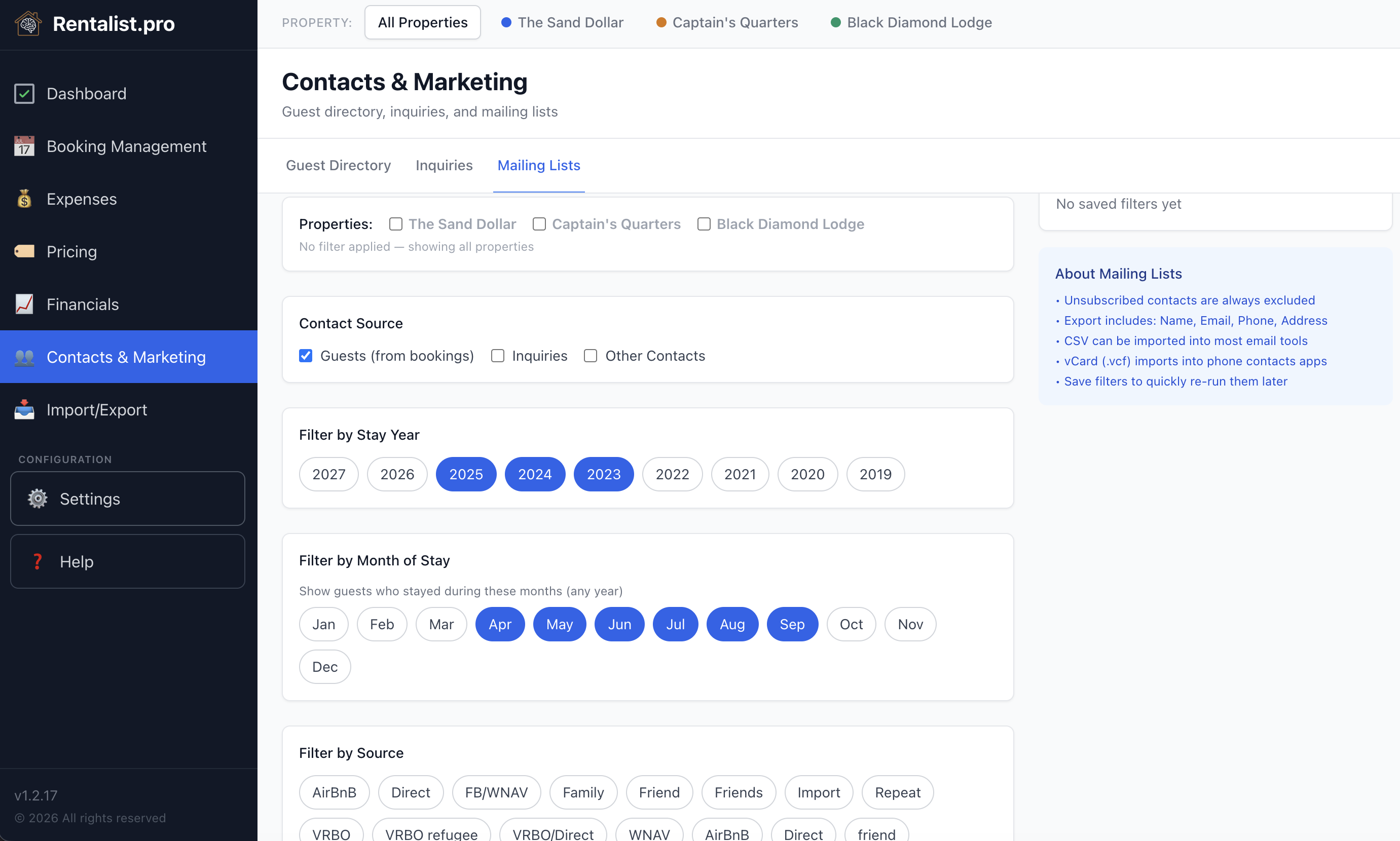
The Mailing Lists builder lets you filter any combination of stay year, month, booking source, minimum stays, minimum party size, and pet fee history — then export a CSV that drops directly into any email marketing tool. A guest who books direct because you reached out in February costs you nothing in platform commissions.
- Guest Directory
- Auto-populated via Sync from Bookings. Sortable, filterable, expandable rows. Includes "not welcome back" flag, unsubscribed flag, and notes. Unsubscribed contacts are always excluded from mailing list exports.
- Inquiries
- Tracks rental inquiries from first contact through conversion or loss. Paste in a platform email and the form fills itself; when a booking is created, the inquiry it came from is linked automatically — and when it's genuinely ambiguous, Rentalist asks instead of guessing.
Inquiries from Email
Years of inquiry history, without typing any of it
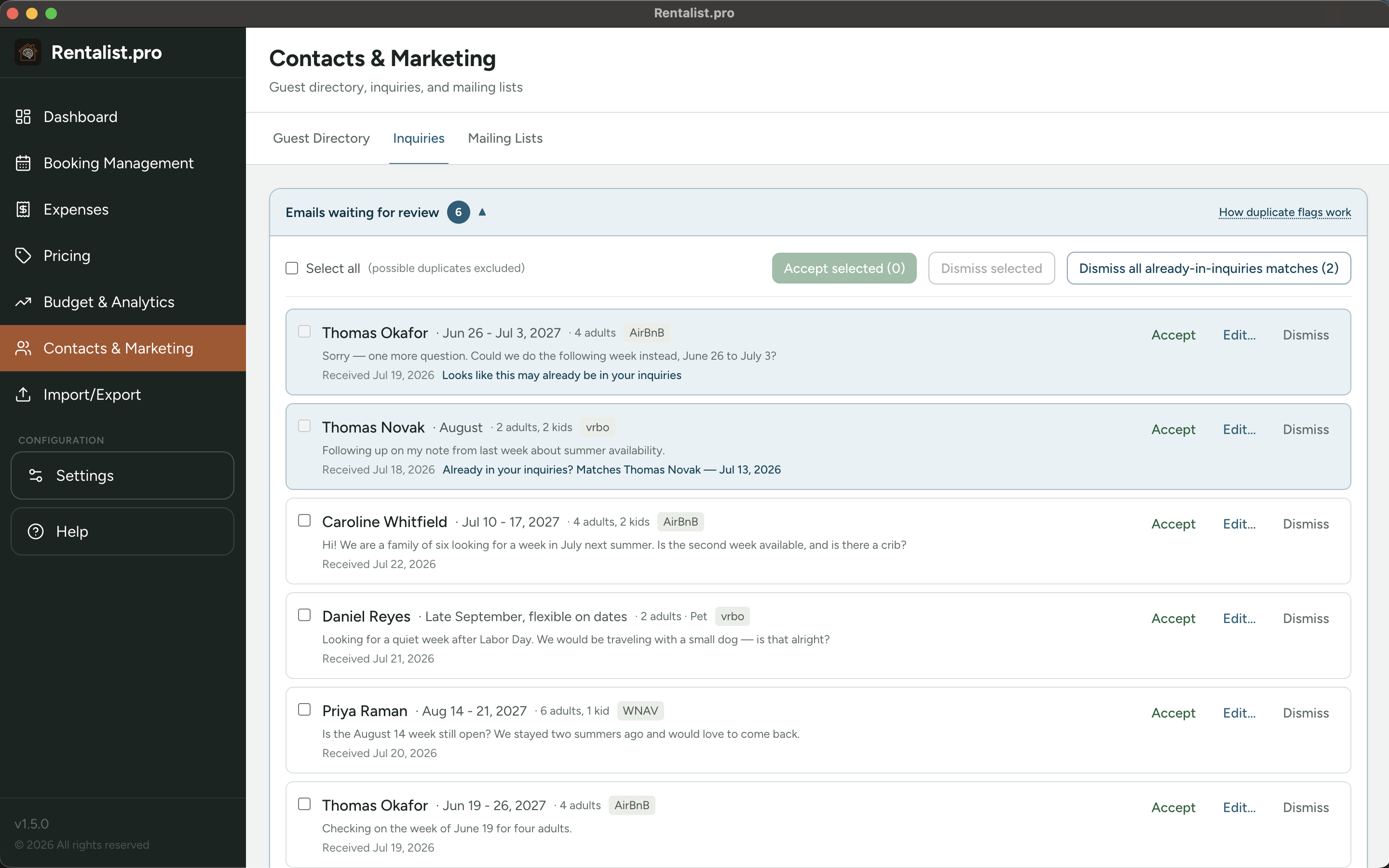
Connect the email account your booking inquiries arrive at and Rentalist reads the ones from Airbnb, Vrbo, and the other sites you use — guest name, dates, party size, pet, source — and lines them up in a review tray. Accept, edit, or dismiss; nothing is ever saved without you.
Point it at your whole mailbox and it walks back through years of messages, so the analytics that need volume — conversion rate, booking lead time, open-week timing — can start out complete rather than starting today.
- Fast to review
- Accept or dismiss in bulk. Duplicate copies of the same inquiry are merged before you see them, and anything that looks like a guest you already have is flagged so you can't add them twice.
- Private by design
- Rentalist reads only the mailbox you connect, read-only, and only the messages that match what you've turned on — mail from the booking sites you've enabled. Nothing enters the app until you accept it, and nothing goes anywhere but between your computer and your own email provider. No cloud service, no AI.