Everyone means to track inquiries. Almost nobody does, because typing in the ones that didn't book feels like paperwork for a guest you don't have.
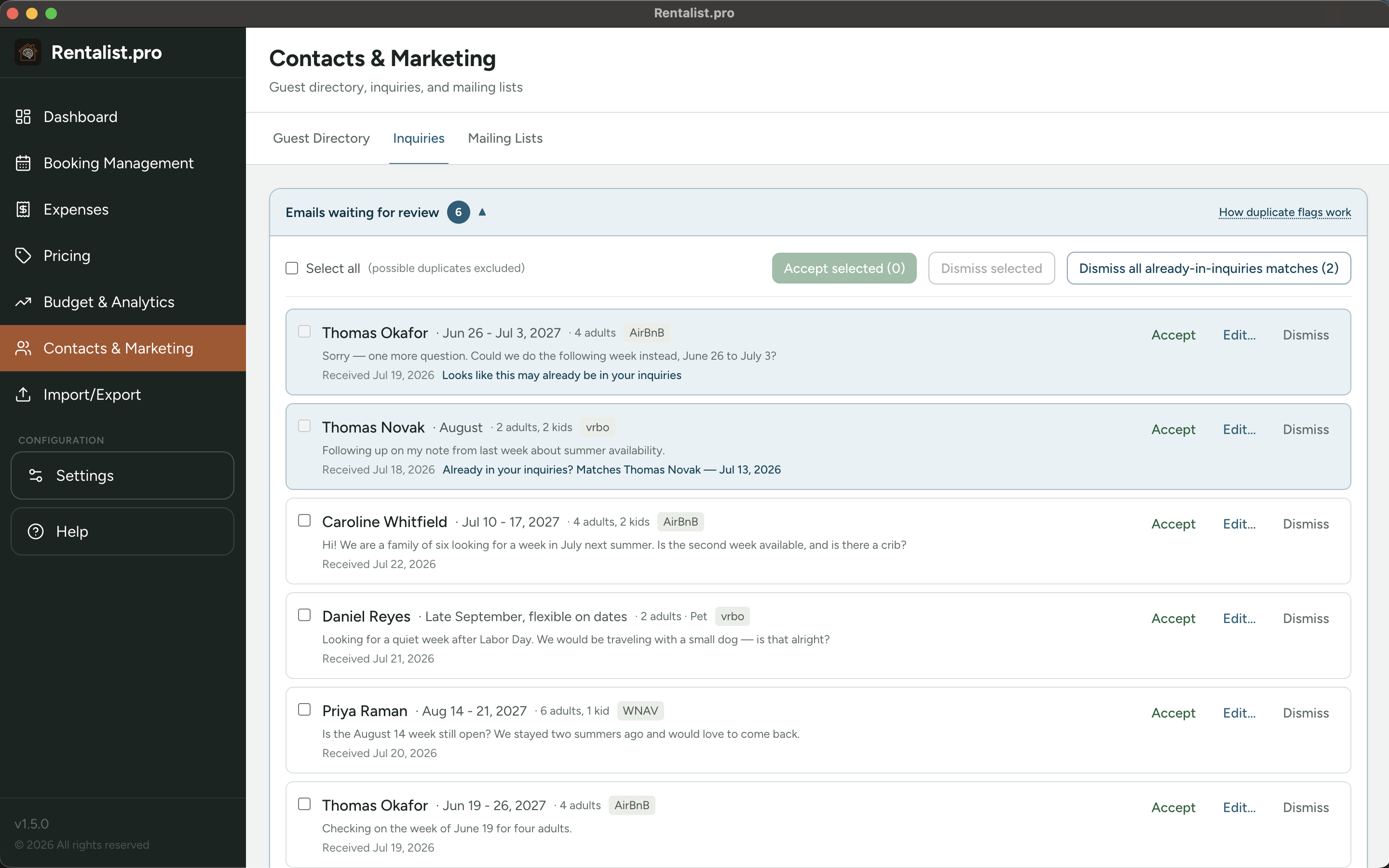
So connect the email account your inquiries arrive at, and Rentalist reads the ones from Airbnb, Vrbo, and the other booking sites for you — guest, dates, party size, pet, source — and lines them up in a simple list. You accept the ones you want with a click. Nothing is ever saved without you.
It's optional. You can paste an email into the inquiry form yourself instead, and Rentalist will still fill in the details. Connecting an inbox just skips the copying and pasting.
The best part is a one-time payoff. Tell Rentalist how far back to look — a few months, a few years, or the whole mailbox — and it works back through your old inquiry emails while you carry on with something else.
If you've been renting from the same address for years, that's your entire inquiry history recovered in an afternoon instead of never. Which means conversion rates, booking lead times, and open-week timing are useful on day one rather than three seasons from now.
Found inquiries wait at the top of your Inquiries screen. Accept one, open it to adjust first, or dismiss it — and for a big history scan, select the lot and handle them together.
Rentalist does the tedious part before you see it. Booking sites often send the same inquiry twice; those get merged into one row. Anything that looks like an inquiry you already have is flagged and held out of bulk actions, so you can't accidentally add a guest twice. And confirmations, cancellations, payment notices, and replies are filtered out entirely — they aren't new inquiries.
This feature reads your mail, so it's worth being plain about what that means.
- It reads only the mailbox you connect, and only the messages that match what you've turned on — mail from the booking sites you've enabled. The rest of your mail is left alone.
- It's read-only — it can't change, move, delete, or send anything, and it doesn't even mark messages as read.
- Nothing goes anywhere except between your computer and your own email provider. No cloud service, no AI, nothing sent to us.
- You give it a revocable app password, not your real one, and it lives in your Mac or Windows password vault.
Setup is a few fields and a Test connection button, with a link straight to the right page for your provider.