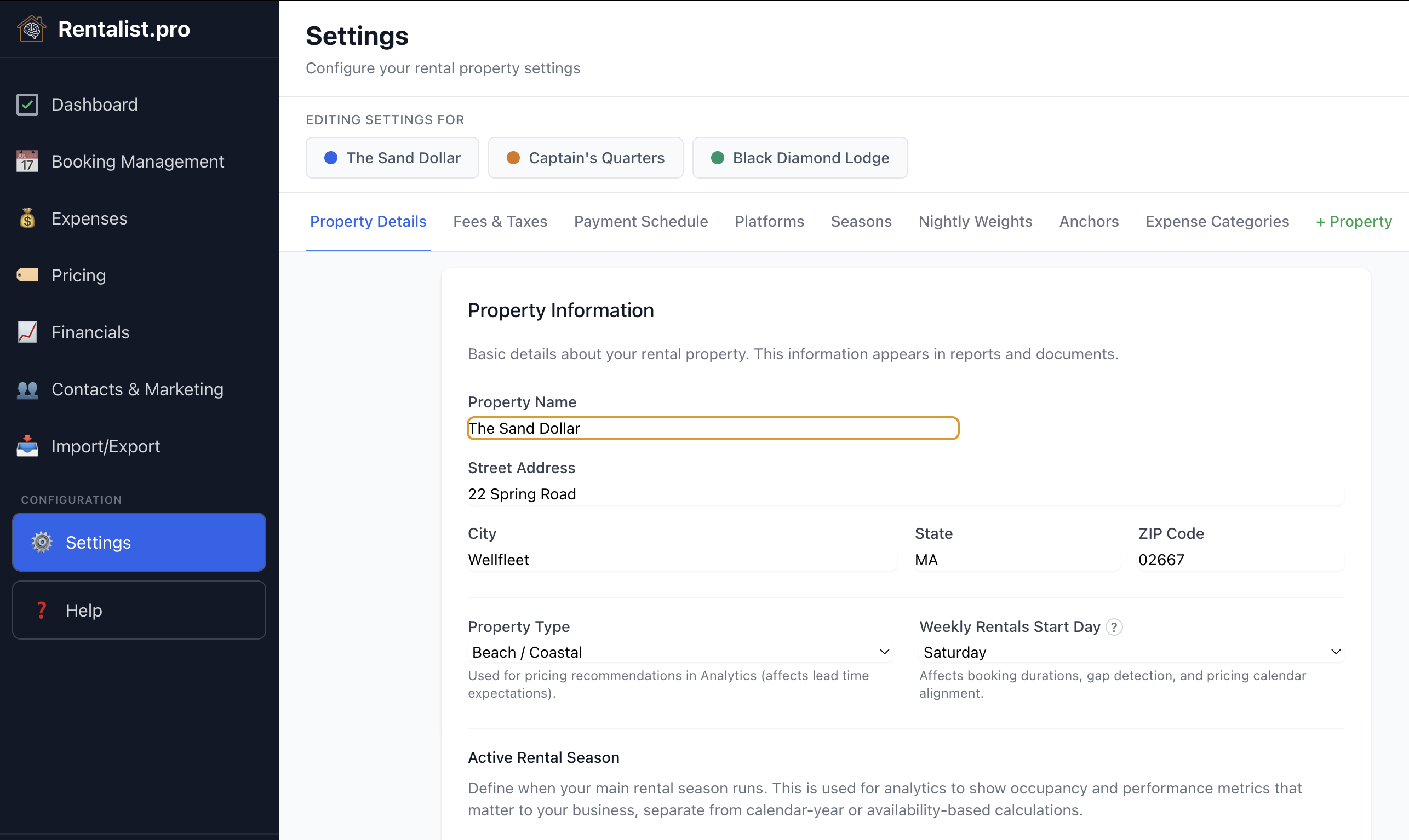
Basic property information — name, address, owner contact details, and week start day. Week start day is set per property, because a Saturday-to-Saturday beach house and a Sunday-changeover ski condo shouldn't have to agree.
It's also where you decide how much the app speaks up: which weeks the open-week alerts watch, whether the pricing reminder appears at all, and whether Rentalist reads inquiries, reservation emails, and receipts you email yourself from this property's mailbox (see Inquiries from Email). All per property, all reversible.
Standard fees (cleaning, pet, linen, custom) and everything about occupancy tax:
- Whether this property is required to pay occupancy tax
- Who you send occupancy tax to — one entry per return you file, with how each one is worked out, how often it is due and on what day, and who sends it in
- Tax Calculation Basis — which period a stay's tax counts in (by arrival, departure, spread across the stay, or when the money arrives)
- Whether money you keep from a cancelled booking is taxed, answered for each office you send tax to. Check your state's rules and verify with your accountant.
- Long-Stay Tax Exemption — the number of days after which a stay owes no occupancy tax, or a tick to say the tax always applies
A rate with a date on it
Tax rates change, and one stored number would quietly misstate your past. So each charge comes with the date it starts, and Rentalist keeps the history and uses the right rate for the right stay. If you change what an office charges, Rentalist records the tax difference on your affected upcoming bookings the moment you save.
How you collect payment from guests — number of payments, timing, security deposit handling, and last-minute booking threshold.
Which booking platforms you use — Airbnb, Vrbo, Booking.com, or others you add, such as a regional booking site — and their commission rates. Rentalist fills in the standard rates for Airbnb and Vrbo, but every rate is yours to change; Booking.com's depends on your agreement with Booking.com, so its box starts blank for you to fill in. Under each platform, tick which of your occupancy tax charges it sends in for you — what is left is what you file — and set its payout timing, such as 1 day after check-in, which dates the payout on each new stay.
Seasons form a chain across the year — every day belongs to exactly one season, separated by boundaries. A boundary can be a fixed date, the week of a holiday (so it follows the holiday each year), the Nth full week of a month, or an offset from a holiday. A year-wrap option keeps a winter season whole across December–January. Seasons drive Plan Next Year's per-season percentage adjustments and mark weeks that are closed to guests. The app checks your boundaries up to 10 years ahead and warns you (amber) or blocks you (red) if a moving boundary would fall out of order in a future year.
How weekly rates distribute across days. Default weights weekends higher (Friday 22%, Saturday 23%), but you can customize. Used when applying nightly weighting in booking pricing.
On the Seasons tab: holiday and custom anchor weeks for year-over-year pricing mapping. Anchors ensure holidays like Memorial Day map to Memorial Day next year, not a fixed calendar date. You can remove built-in holidays you don't use (removals persist between sessions), and "Reset Anchor Weeks to Defaults" restores them — but note that doing so also removes any custom anchors you've added.
The costs of owning the property rather than the money guests pay you: your mortgage, and the months your property tax and insurance bills usually land in. Enter your loan once — adjustable-rate loans and escrow included — and Rentalist works out the interest and the principal for every month, then keeps them on your books as two repeating expenses once you press Create the monthly mortgage expenses. Interest is deductible and principal is not, which is why they're recorded separately — verify with your accountant.
Your expense categories: add custom ones, hide ones you don't use, and exclude categories from budget tracking. Most categories can be moved under a different tax deduction category at any time, and every expense already filed under it moves with it. Rentalist decides where the spending is reported, not whether it's deductible — verify that with your accountant. Analytics groups your spending by tax line, so getting more specific over time — splitting Utilities into Electricity and Propane, say — sharpens this year's detail without breaking your year-over-year history.
The reasons you can pick when an inquiry doesn't turn into a booking — too expensive, dates unavailable, and so on. It comes with the common ones and you can shape it to match how you think about your own market.
After a season or two that becomes one of the more useful charts in the app: the top reasons you lose business, in your own words.
Rentalist backs up automatically on a schedule, and you can also make a backup anytime from Settings → Backups. A backup is a single portable file containing all your data.
Restoring returns the app to the exact state of that backup. Before it does, the app shows you every category of data that will change. Contacts, inquiries, and saved mailing-list filters can be merged with what you have now; bookings, expenses, budgets, and settings are always restored exactly, not merged. A safety copy of your current data is saved automatically before any restore, so a restore can always be undone.