Everything that keeps your rental running smoothly
What Rentalist does, organized by the job it takes off your mind. Each section links to the Guide for the nitty-gritty details.
Every receipt kept, every expense where it belongs
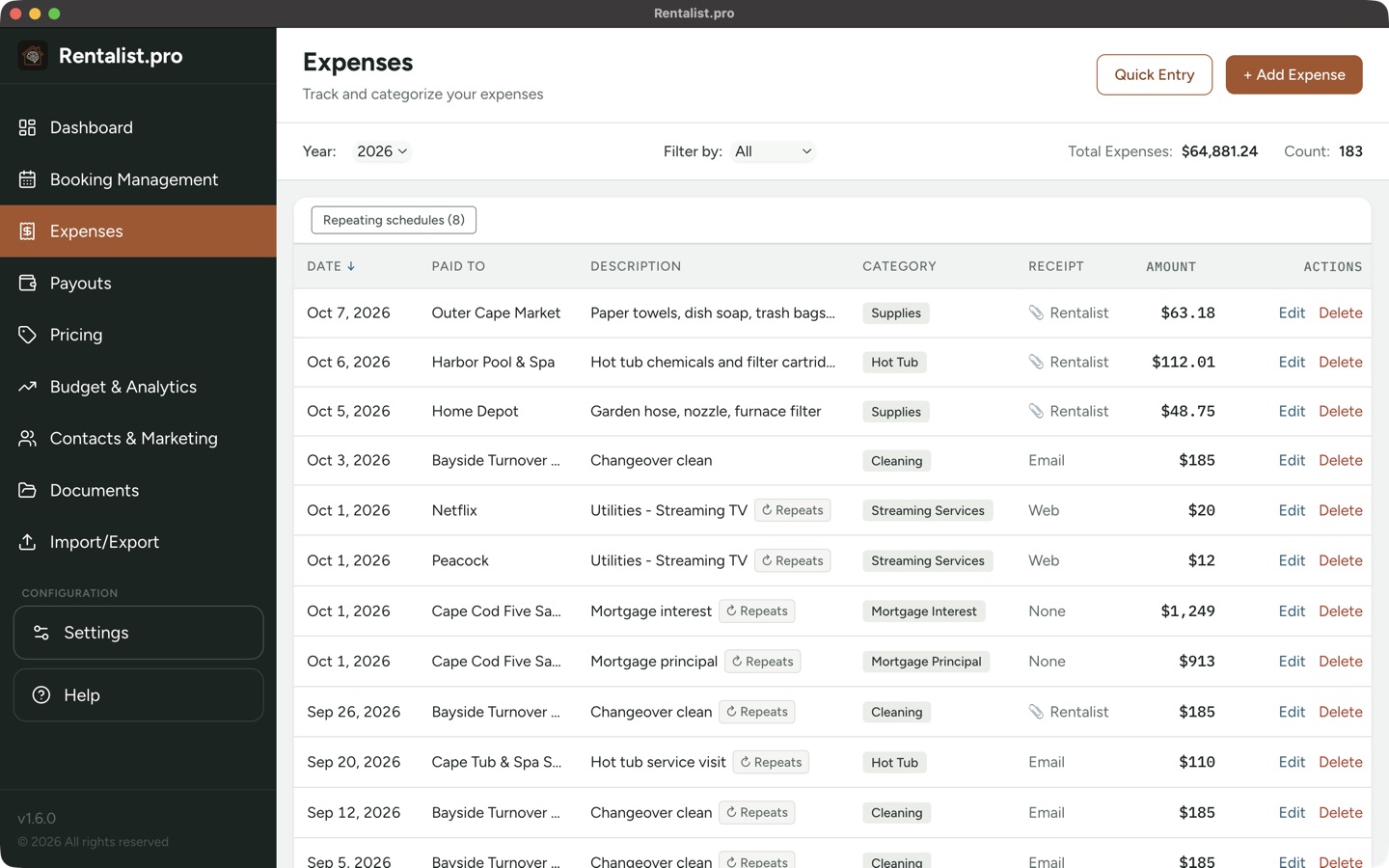
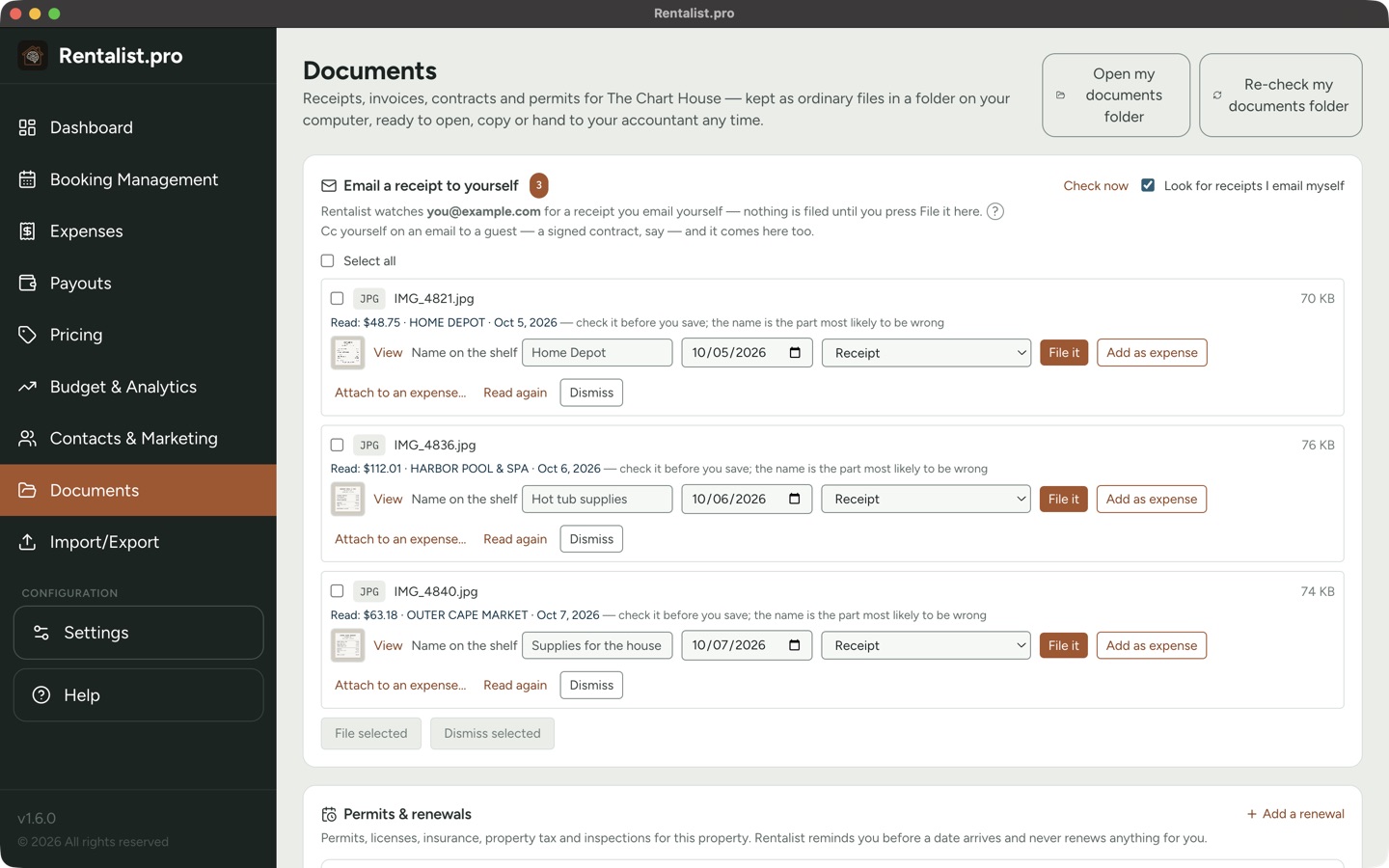
Add an expense from a receipt photo or PDF, from a receipt you email to yourself, or by typing it in. Rentalist reads the vendor, date and total on your computer and fills in the form for you to check, so at tax time you're not looking at a shoebox full of scraps.
- Categories tied to tax deductions, plus your own categories
- Repairs and capital improvements kept apart
- Repeating bills, including a cleaning after each checkout
- Mortgage calculator with escrow and rate changes
- Mileage to and from the property
- One cost split between properties
- Quick Entry: type a stack of receipts into one grid
- Reminders for bills coming due
A year-end summary your accountant can work with
Expenses totaled by tax category, capital improvements tracked for your depreciation table, income counted the way the IRS wants it to be, and your personal-use nights tracked to keep you on the right side of the rules. Download it as a PDF or Excel. Rentalist doesn't give tax advice; verify tax figures and rules with your accountant or tax professional.
Tax Summary in the Guide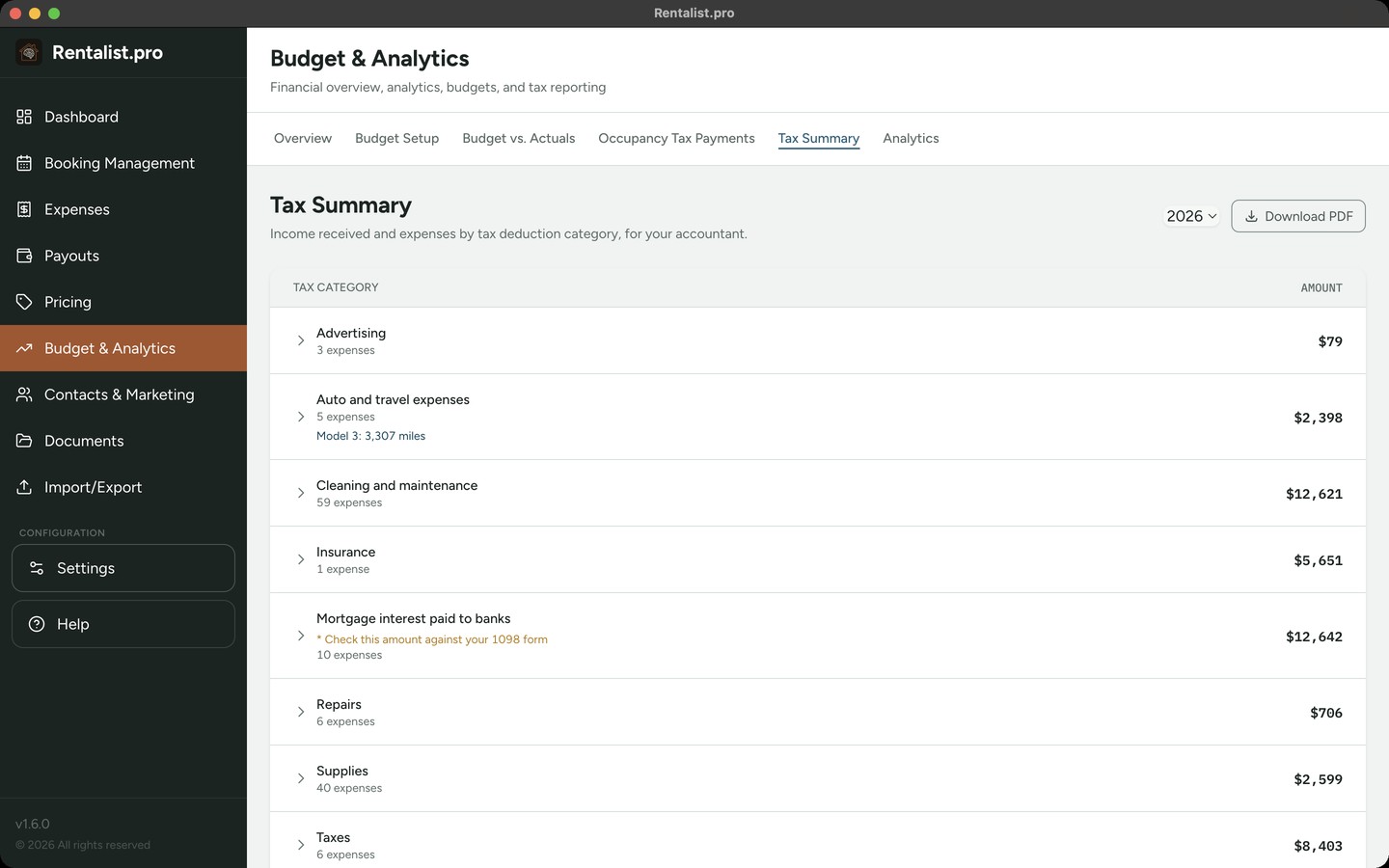
Know who has paid and who still owes
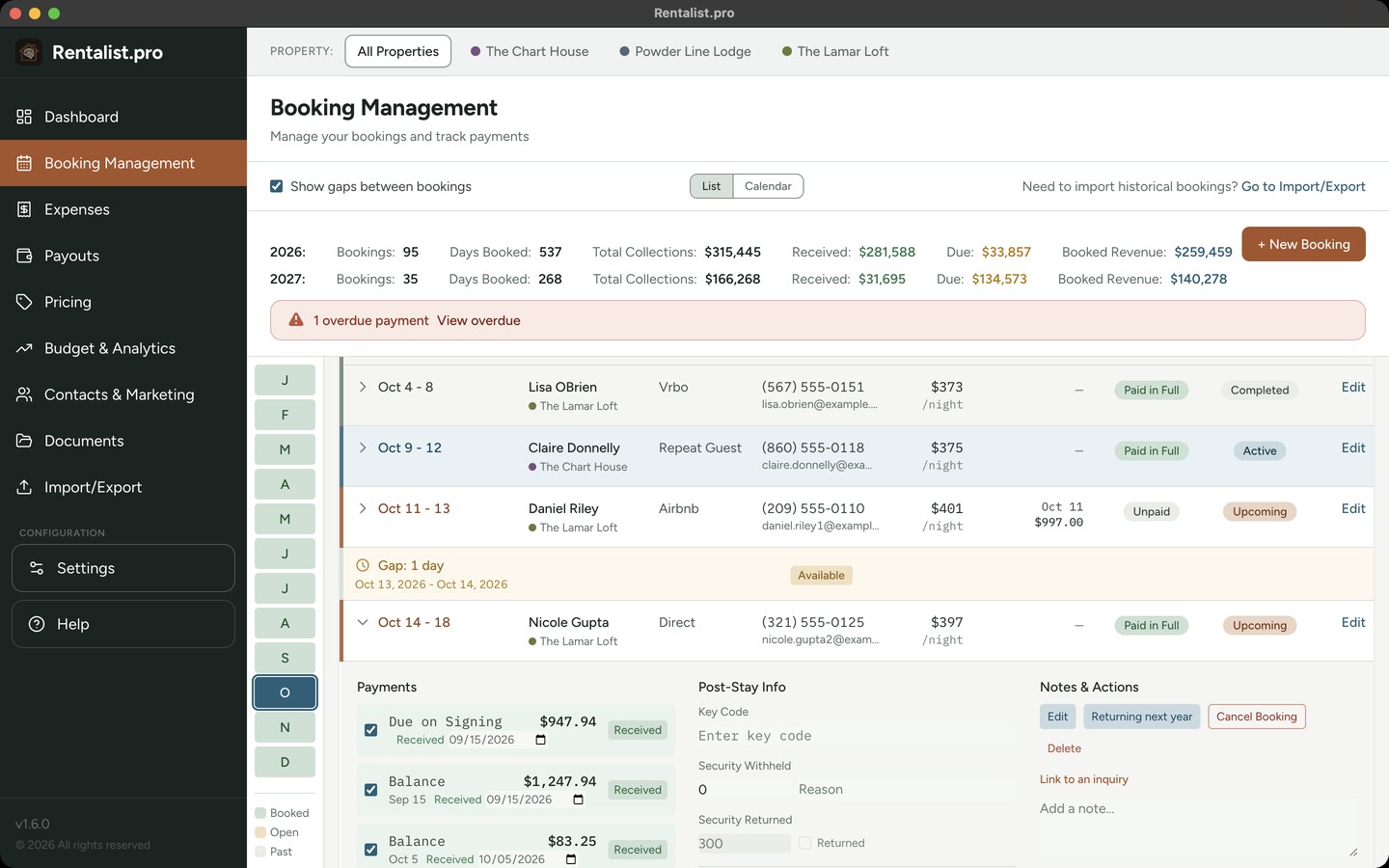
Each booking holds the guest, dates, rent, fees, occupancy tax, security deposit and payment schedule, from the first deposit to the final payment.
- Late payments flagged on the Dashboard
- Cancellations, with what you kept and what you refunded
- A monthly payment plan for long direct stays
- Reimbursements, such as heating oil, kept apart from rent
- The signed contract kept with each direct booking
- Stays by close family, extended family and friends recorded as their own sources
- Stays across New Year counted by their nights in each year
Every return on time, for every tax office
On a direct booking you collect the occupancy tax and send it in yourself. Rentalist works it out on each stay, tracks each tax office you file with, along with its periods and due dates, and reminds you before a return is due. Where a platform sends in all of the tax, those stays are left out; where it sends in part, your share is tracked.
Occupancy tax in the Guide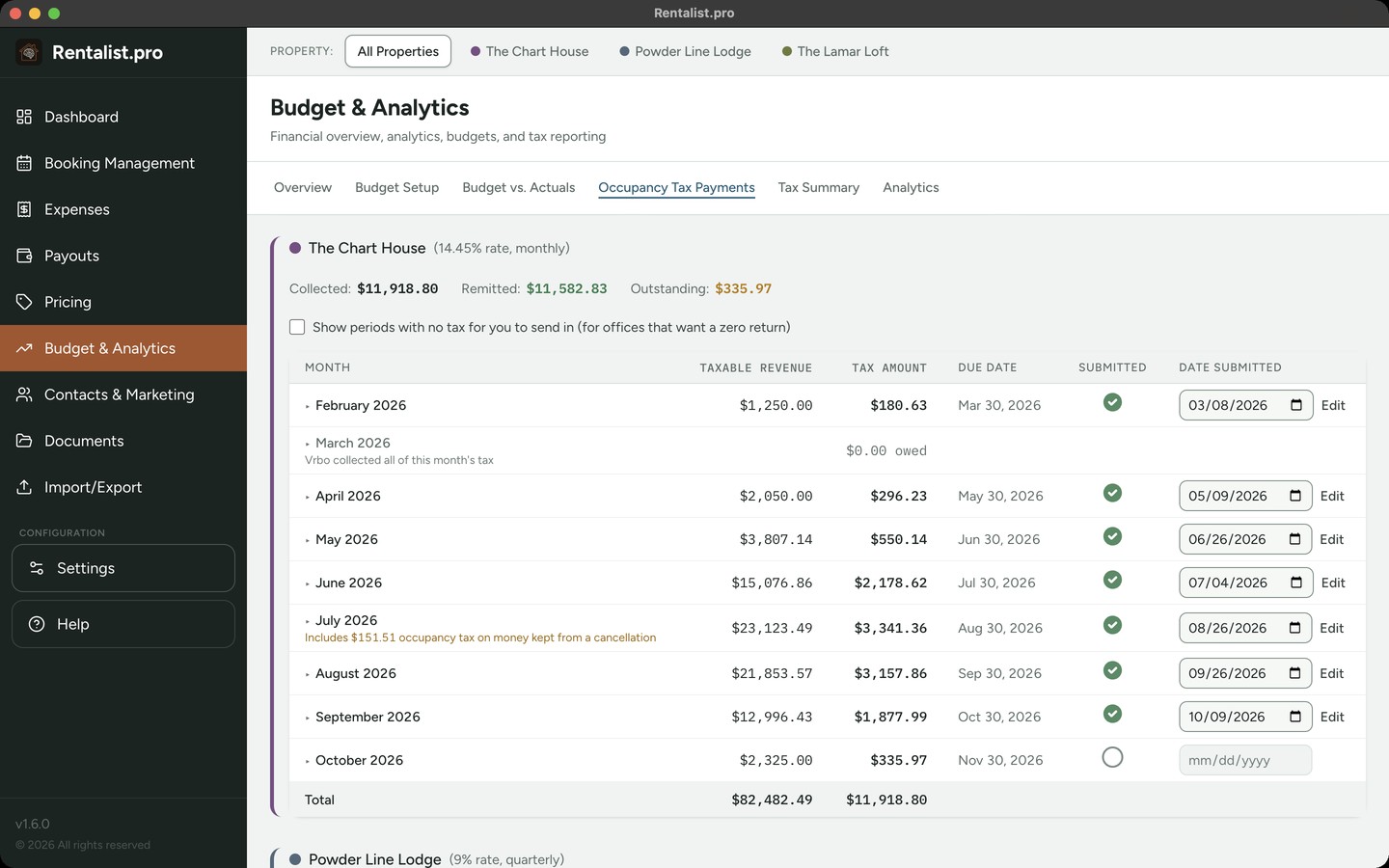
Catch a short payout before it's forgotten
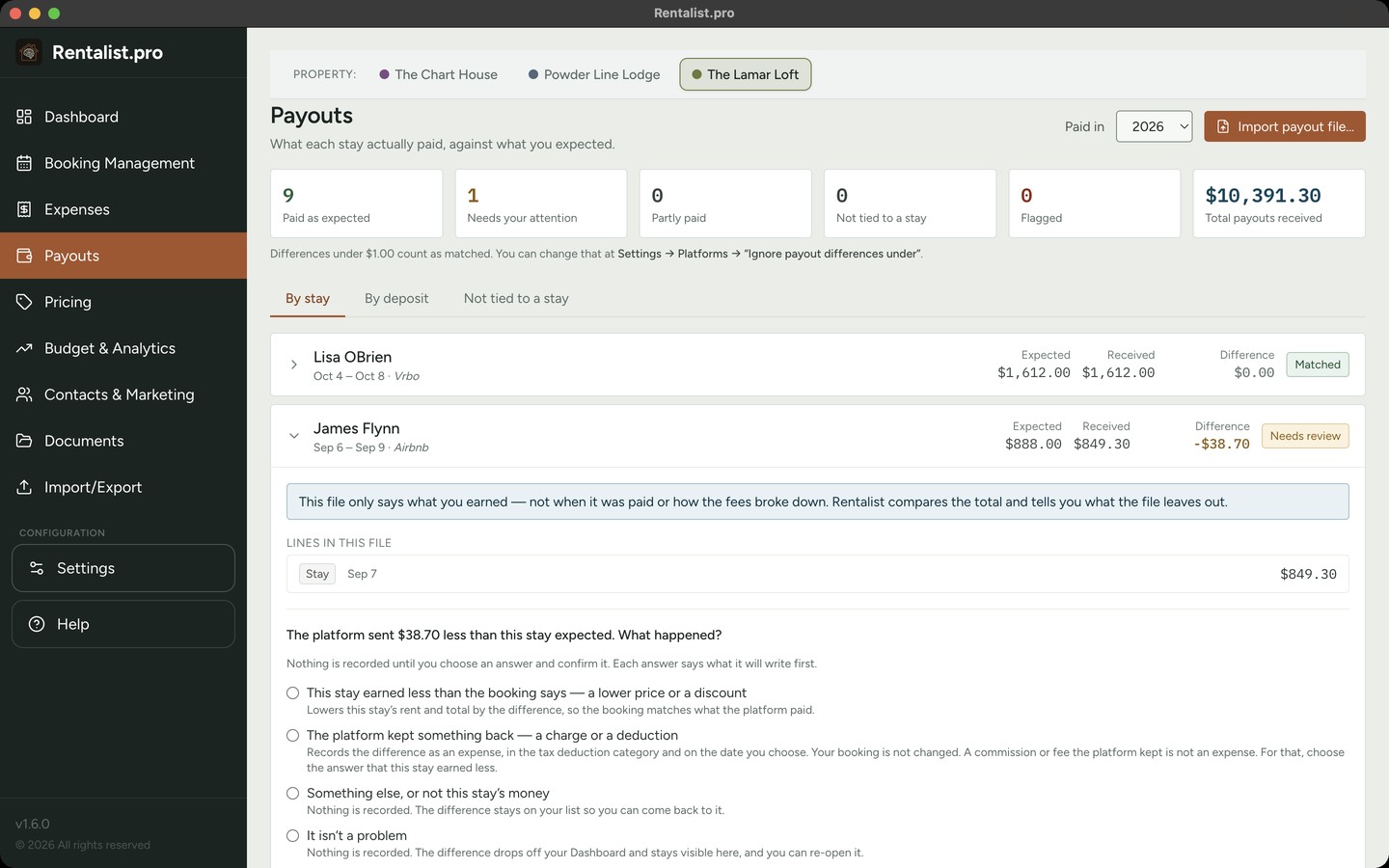
Record a platform stay with the payout you expect. Bring in the payout file from Airbnb or Vrbo and Rentalist lines each payment up with its stay, showing any stay where the money differs.
Where the year stands, and where it's heading
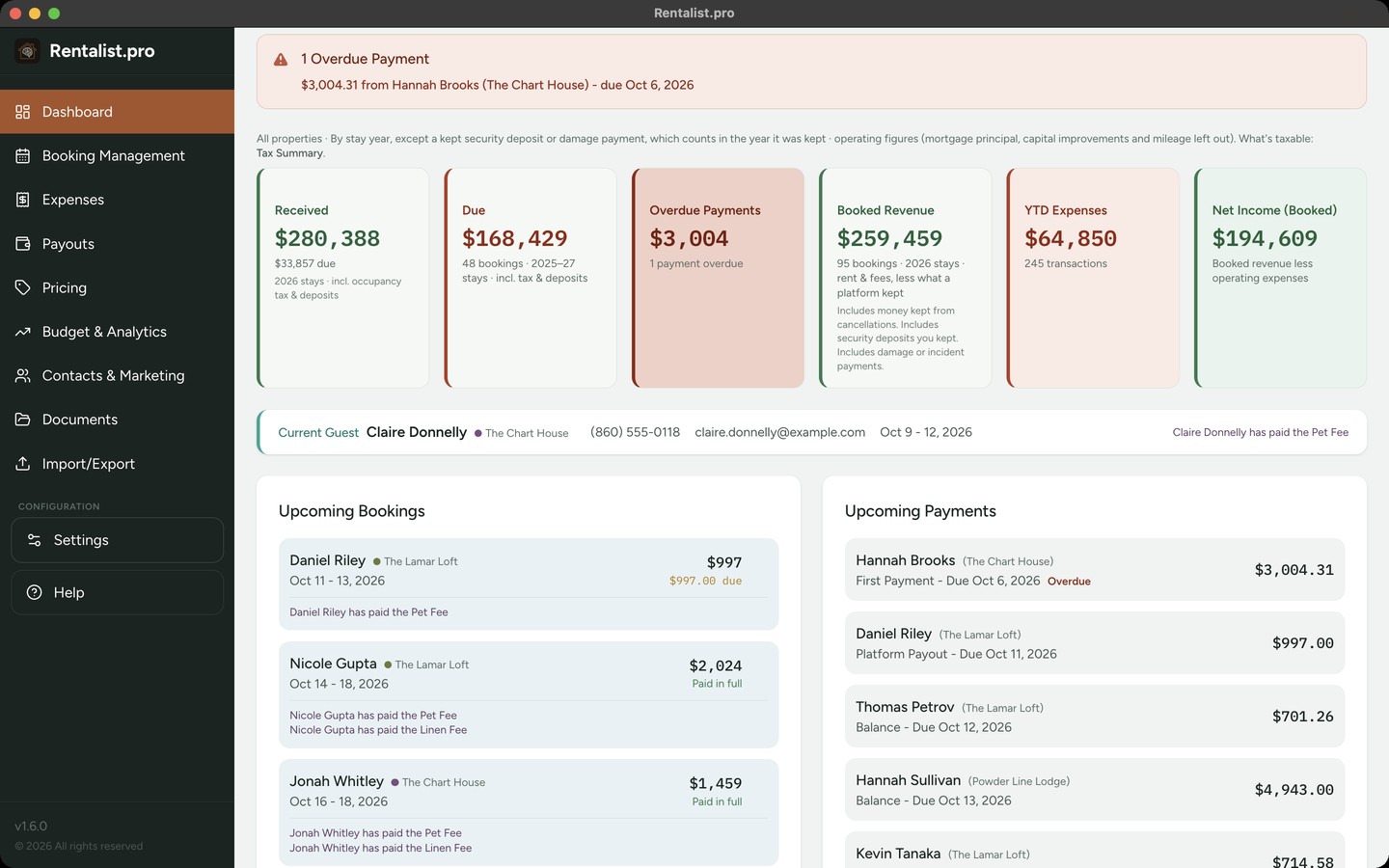
- Collected, owed, spent and net for the year, on one screen
- A budget, with Budget vs. Actuals as the year goes
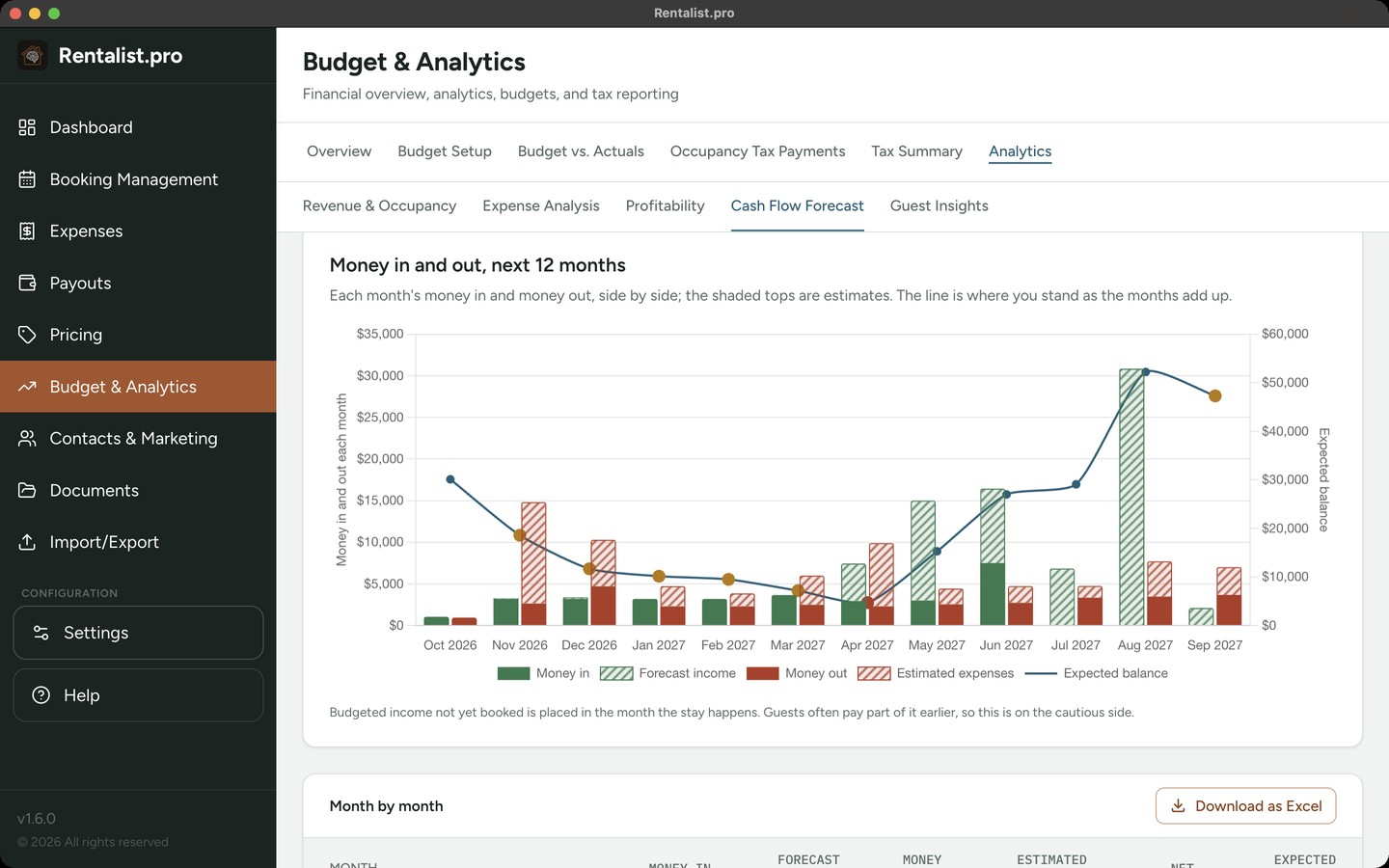
- Cash Flow Forecast: the next twelve months from your bookings, your budget or last year's pattern, with an Excel download
- Track when money really arrives, not a monthly pacing guesstimate
Know whether this season beat the last
Revenue, expenses and profit for every year you have records for, plus fill rate by season, booking pace, repeat guests and inquiry conversion. Every chart explains what it shows in plain English. The more of your past history you import, the better the analytics.
Analytics in the Guide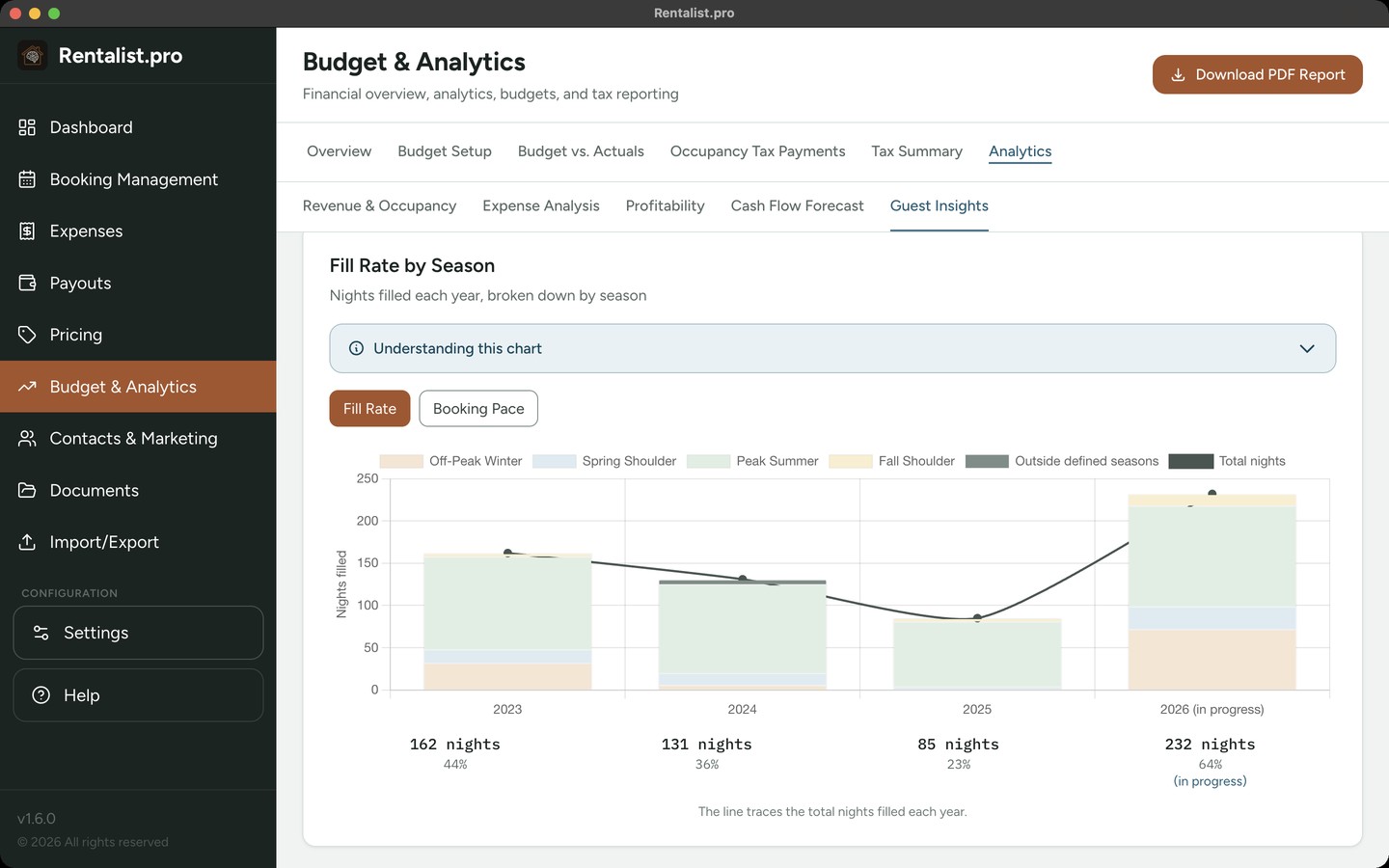
Prices that net what you planned
Rentalist works out what to list on each platform, week by week, grossing up the platforms' commission so the number that reaches you is the one you planned on.
Plan Next Year carries your prices forward, with holiday weeks landing where they belong.
Pricing in the Guide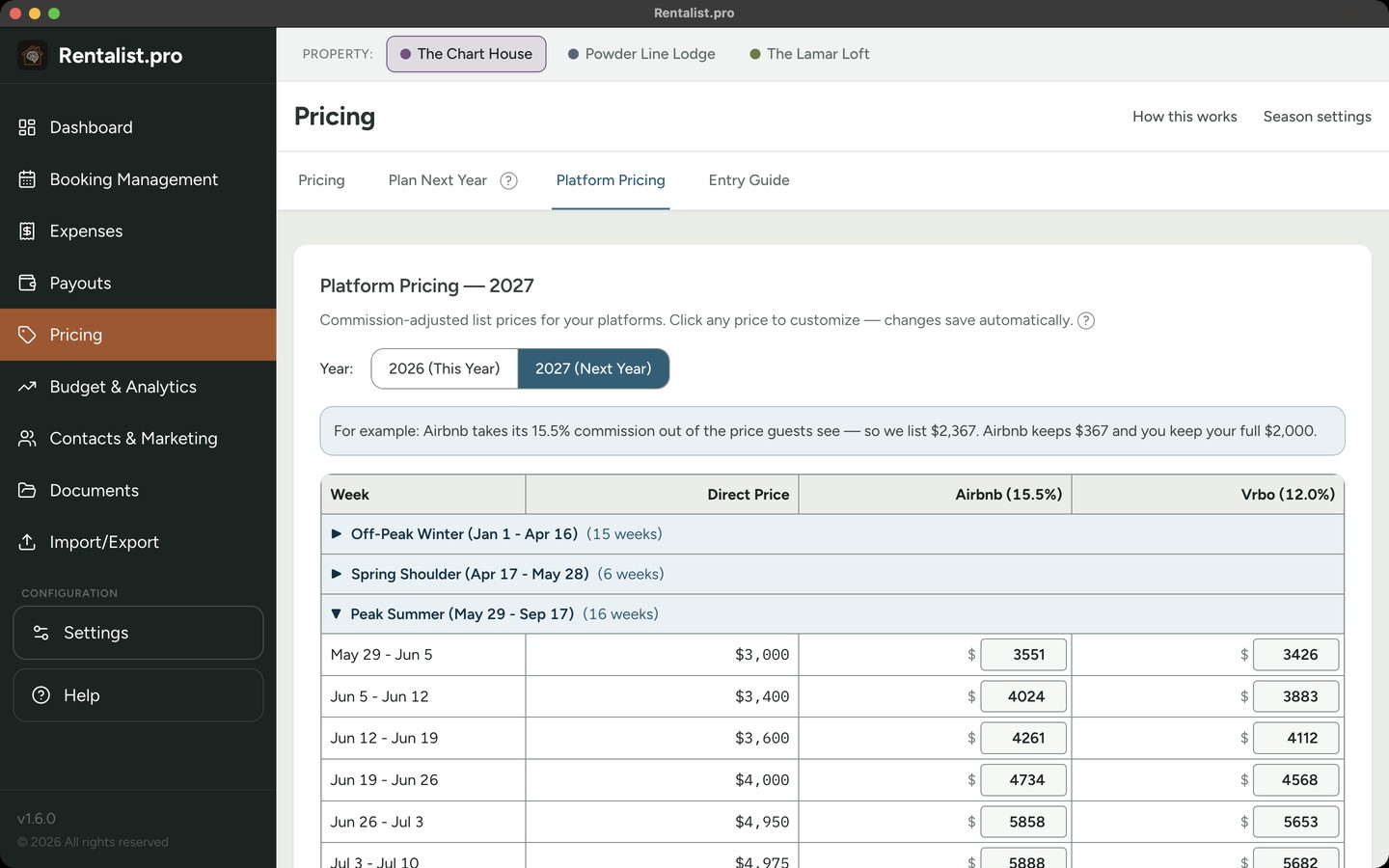
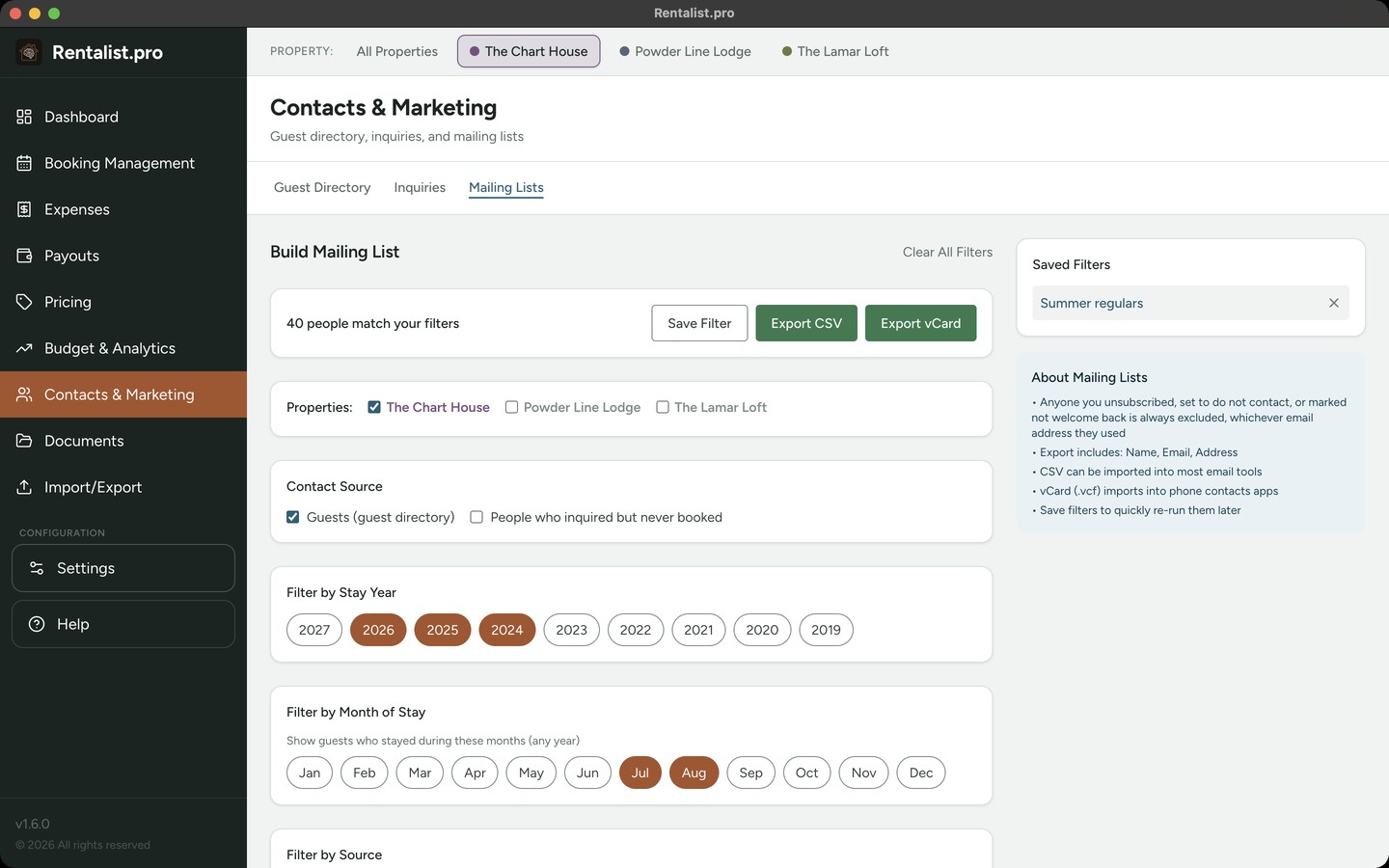
Fill next season with guests who already love the place
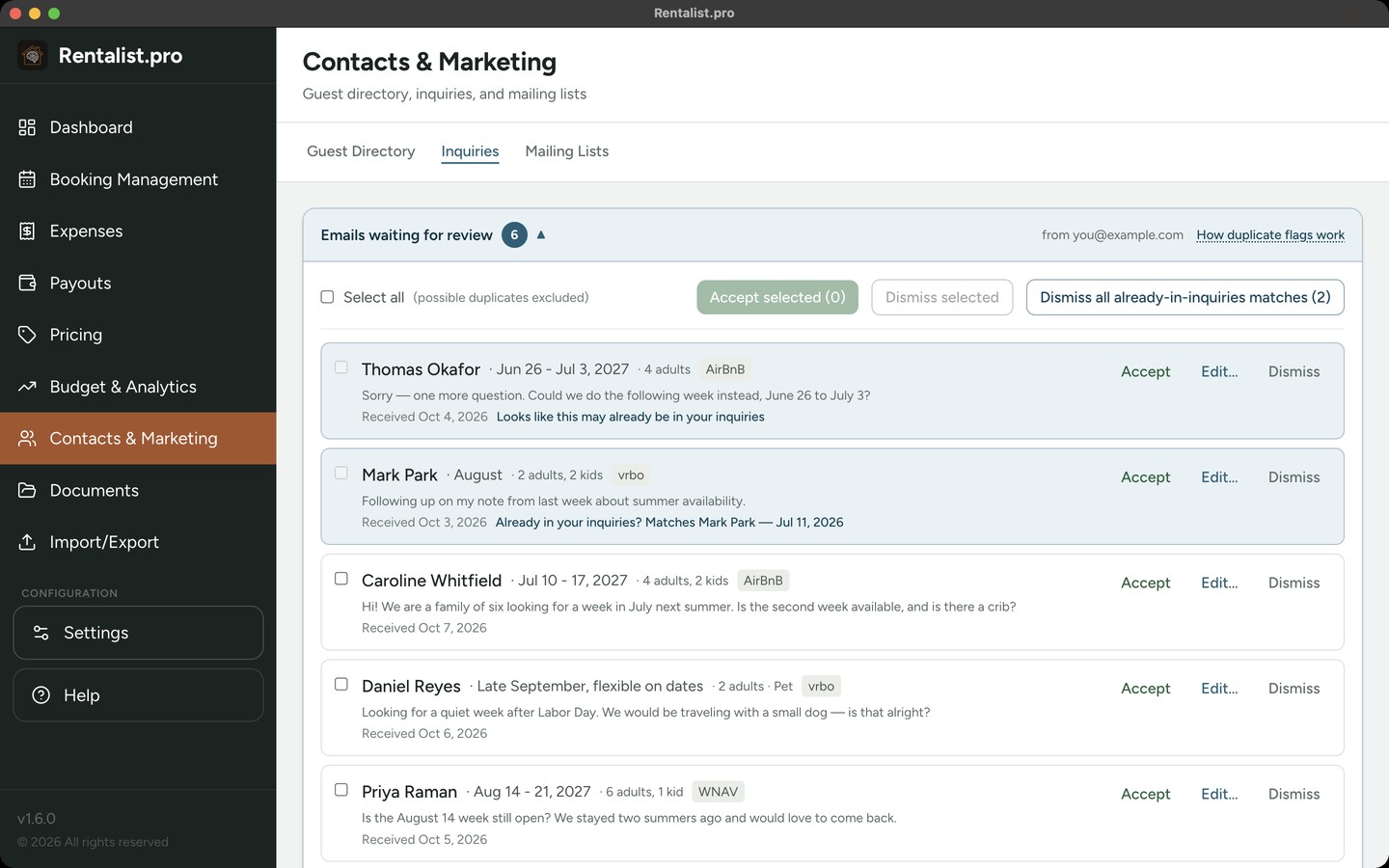
Every guest who books with you directly or inquires is kept with their stays, party size and source. Filter by year, month, source or party size, and export a mailing list as a CSV for any email tool.
- Inquiry and reservation emails can be collected from your inbox, read-only. Nothing is added until you accept it.
Renewals that never sneak up on you
Receipts, contracts, permits and policies are kept as ordinary files in a folder you choose. Each renewal date brings reminders at 30, 14 and 7 days.
Each property's books, side by side
Each property keeps its own books and settings, in its own color on every screen. Several screens add an All Properties view.
Multiple properties in the GuideAn easy start
Explore every screen with sample data before you enter anything of your own. Then import your spreadsheets, or type a past season into Quick Entry.
Getting started in the GuideEverything included, for $79/year
Every feature, for up to three properties. No tiers, no add-ons, no per-property fees.
Recommended
$79/year
- Free trial
- 14 days
- Works on
- Mac and Windows; your license moves between them
- Billed by
- LemonSqueezy
Mac App Store
$79/year
- Free trial
- 14 days
- Works on
- Mac only
- Billed by
- Apple

Microsoft Store
$79/year
- Free trial
- 1 week
- Works on
- Windows only
- Billed by
- Microsoft

Cancel during the trial and you won't be charged. macOS 11 or later · Windows 10 or later.